Warudo plugin
Outfits you bought on BOOTH, on your Warudo character — no Unity
GalaxyDresser is a Warudo plugin and web service that works with outfits made for VRChat avatars.
Sign in with Steam · No payment details to start
How it works
Three steps
-
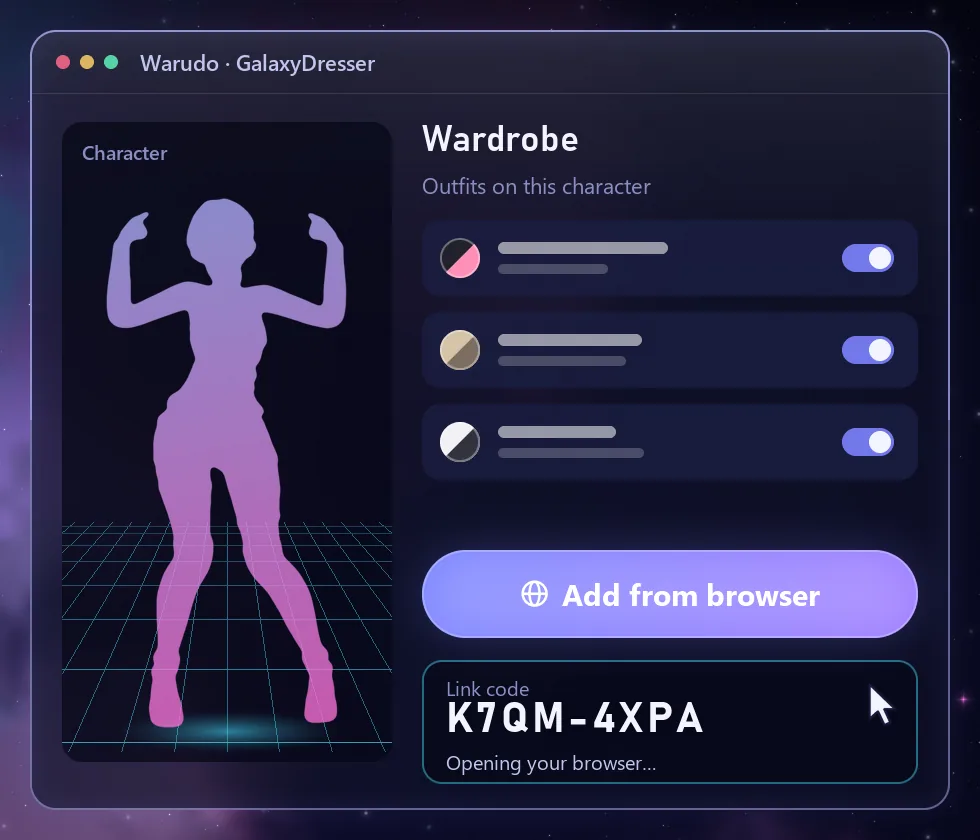
1Connect
Link the Warudo wardrobe to Steam
Add the GalaxyDresser plugin to Warudo and press “Add from browser” in its wardrobe. Check that the code in your browser matches Warudo, then link your Steam account.
-
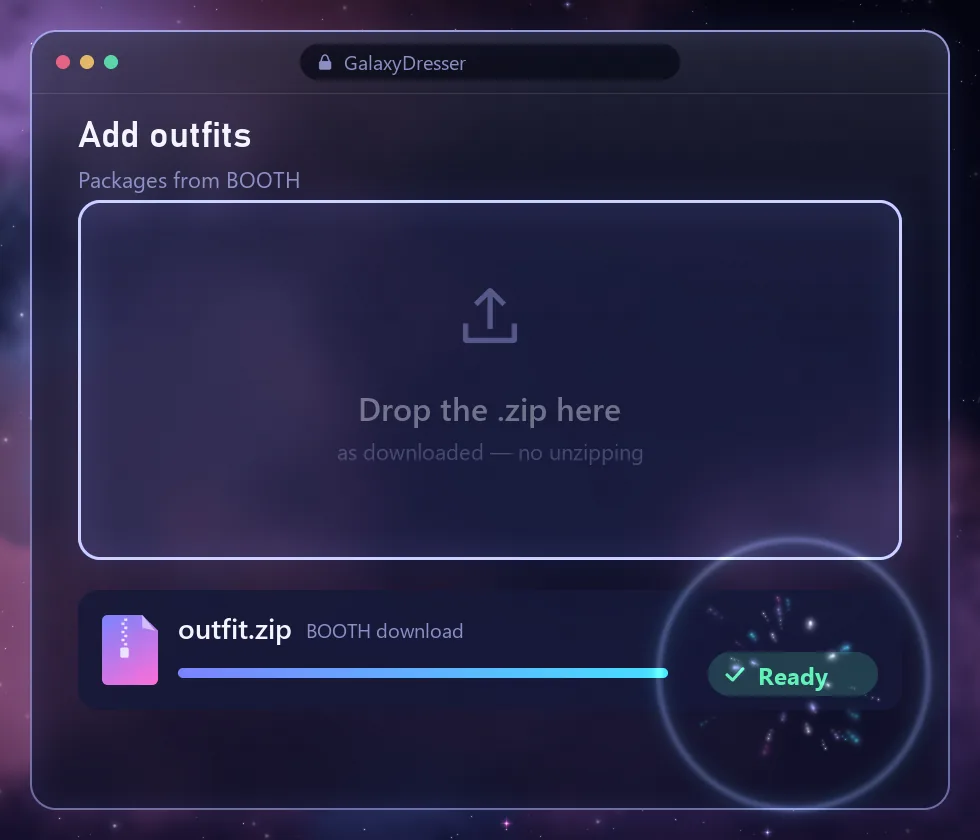
2Add the outfit
Drop in the BOOTH zip
No need to unzip it.
-
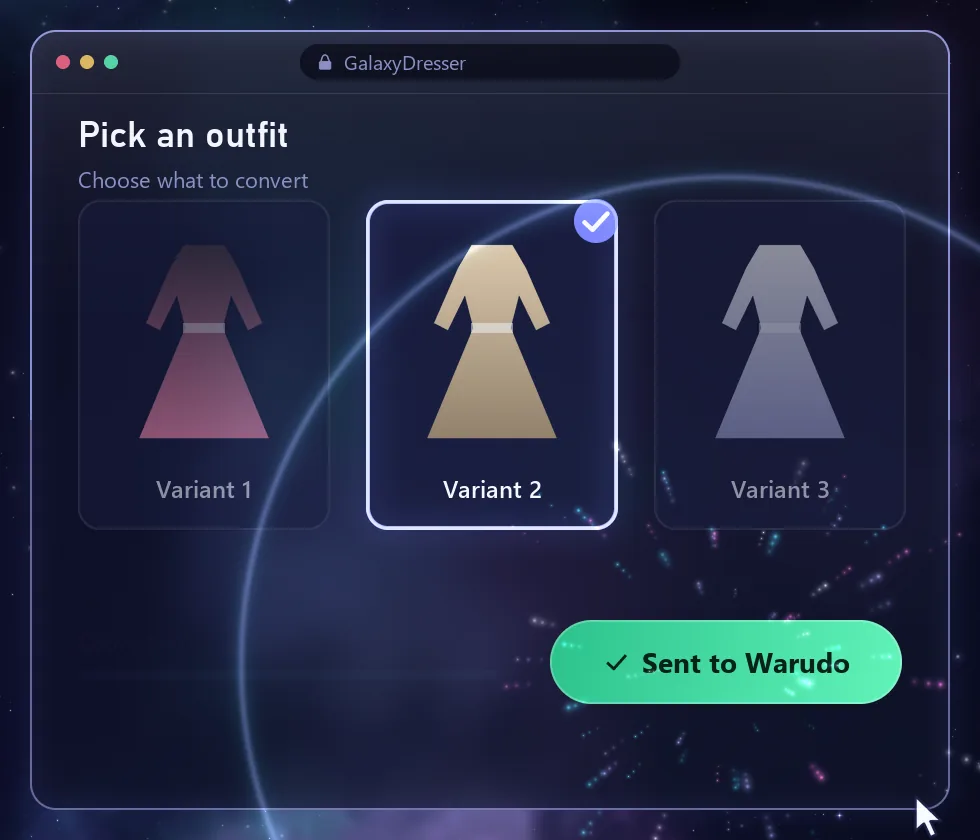
3Wear it
Pick one and it's on
Choose an outfit and the plugin converts it and puts it straight onto your character.
Requirements
What you need and what is supported
You need
- Warudo (on Steam)
- A Steam account
- Outfits you bought on BOOTH
Supported
- BOOTH outfit packages for VRChat avatars (.zip, .unitypackage)
- Warudo characters loaded from VRM or a character mod
- Shaders: lilToon → NiloToon
- Physics: PhysBone → MagicaCloth 2 / Spring Bone
Coming soon
On the way
Fit to your body
Outfits made for other avatars will be reshaped to fit your character's body.
Warudo props
Props that come with an outfit will work as standard Warudo props.
Props from any file
You will be able to make a prop from a 3D file or a single image.
AI prop meshes
You will be able to generate a prop mesh with AI.
FAQ
Frequently asked questions
Which outfits fit best?
Outfits are matched by bone names, so outfits made for the same avatar base as your character fit best. Outfits for other avatars go on when the bone names match, but the body shape may differ.
Can I use the outfits on stream or in clips?
That depends on each outfit's license.
What happens if I cancel?
Payments stop, and you keep the subscription until the end of the period you paid for. Outfits you made keep working.
How do refunds work?
Request a refund from the link in your Paddle receipt email or at paddle.net. Customers in Korea get a full refund within 7 days of payment. See the Refund Policy.